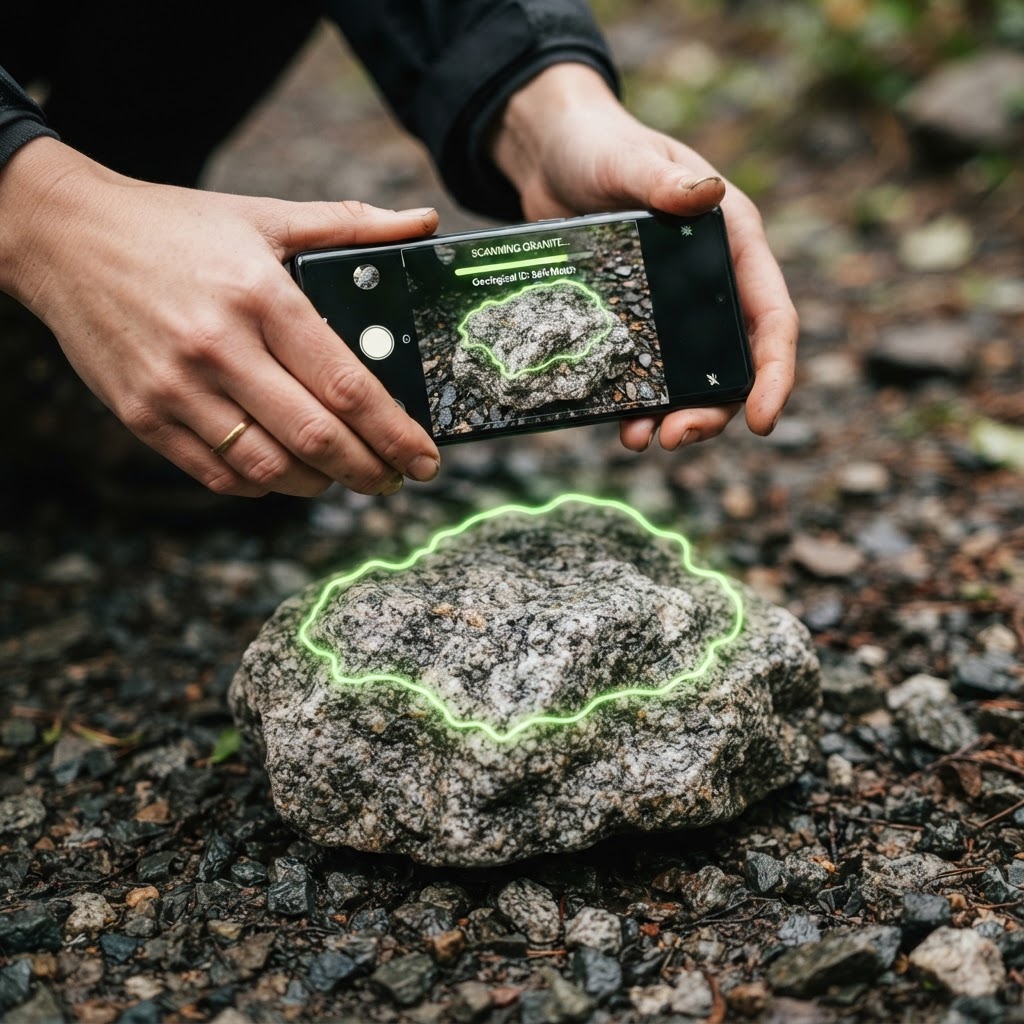
What a Rock Scanner Actually Does
A rock scanner is not a measuring instrument. It is a pattern-matching tool. When you photograph a stone and send it in, the image is compared against a very large body of rock and mineral photographs, and the system returns the candidates that best fit what it can see.
That is genuinely useful, and it is also why the answers sometimes feel vague. The scanner is working from the same evidence your eyes are working from: colour, pattern, texture, the shape of the specimen, and the way light behaves on its surface. It has no other information available to it, because a photograph contains no other information.
Why a Photo Cannot Settle It On Its Own
Four of the properties geologists actually use to name a mineral cannot be seen in a photograph at all. Hardness needs the stone to be scratched. Streak needs it dragged across an unglazed tile. Density needs it weighed in air and in water. Acid reaction needs a drop of vinegar and a minute of waiting.
What is left — colour, lustre, form and texture — is enough to narrow a stone down to a family, and often to a species, but it is not enough to be certain. That is precisely why a good scanner hands you a ranked shortlist with confidence scores rather than one confident name. If a tool gives you a single answer with no alternatives, it is hiding how uncertain it really is.
How to Photograph a Rock for a Scanner
Almost every disappointing result comes from the photograph rather than the stone. Work through this list and the quality of the answer improves immediately.
- Fill the frame. Let the stone take up most of the picture. A specimen photographed from a metre away is only a few hundred pixels of useful information.
- Use daylight, not flash. Direct flash blows out the surface, flattens the texture and destroys the translucency that separates agate from jasper.
- Shoot it clean and dry. Rinse the mud off, then let it dry. A wet stone looks more colourful and far more translucent than it really is, which pushes the scanner toward the wrong answer.
- Take three shots. One flat on, one at a low angle to catch the sheen, and one held up against the sky so any translucency shows.
- Put something in for scale. A coin or a ruler changes the answer completely for small grains and pebbles.
- Photograph a fresh broken face as well as the weathered outside. The outside of a rock is often a rind that tells you very little about what is inside it.
The Three Questions to Answer Before You Scan
Answer these yourself first. They take thirty seconds and they turn a scanner result from something you accept into something you can judge.
- Is it one mineral or several? If you can see distinct crystals of different colours locked together, you have a rock rather than a mineral, and the scanner should be naming a rock type such as granite.
- How big are the crystals? Crystals you can see with the naked eye mean the rock cooled slowly, deep underground. Crystals too small to see mean it cooled fast at the surface. That one observation splits the igneous rocks in half.
- Does light pass through it? Hold it against the sky. Translucent points at chalcedony, quartz or a gem material. Opaque points at jasper, basalt or a metallic ore.
Reading the Confidence Score
The number matters more than the name. Here is how to interpret it.
| Confidence | What it means | What to do next |
|---|---|---|
| 80% and above | The photo shows features close to diagnostic for that candidate | Run one hardness or streak test to confirm it |
| 50–80% | A plausible fit, but the photo is missing something decisive | Take a better photo, or test hardness before accepting it |
| Below 50% | Several candidates fit equally well | Treat the list as things to rule out, not as an answer |
| A single answer, no alternatives | The tool is not showing its reasoning | Be sceptical — most stones have at least one plausible lookalike |
The Two Tests That Settle It
Hardness and streak between them resolve most of the stones an amateur will ever pick up, and both cost nothing.
Hardness is the easier of the two. A steel blade sits at about 5.5 on the Mohs scale. If the blade marks the stone, the stone is softer than 5.5, which covers calcite, gypsum, obsidian, hematite and most carbonates. If the blade slides off without leaving a mark, you are in the quartz family at 7 or above. Scratch the underside so the mark does not show.
Streak is the more diagnostic of the two, and it surprises people because a stone that looks black can leave a red-brown line. Drag the specimen across the unglazed back of a tile. Hematite leaves red-brown, magnetite leaves black, pyrite leaves greenish-black, and most silicates leave white or nothing at all.
Put the three together — what you can see, the hardness and the streak — and you will usually be down to a single answer. Our mineral identifier guide walks through that method in order.
Where a Scanner Helps Most, and Where It Does Not
A scanner is excellent at the ordinary jobs. Naming a pebble from the garden, sorting a scoop of tumbled stones, working out whether a beach find is agate or jasper, and putting a label on the common rocks you keep picking up. It is also the fastest way to learn the vocabulary, because it gives you a name to go and read about.
It is the wrong tool for anything involving money or safety. It cannot value a gemstone, cannot confirm that a stone is a diamond or that a rock contains gold, and cannot separate two minerals that differ only in chemistry rather than appearance. For those questions you need a gemmologist, a laboratory or a permit and a gold pan.
The Bottom Line
A rock scanner turns a photograph into a ranked shortlist, and a ranked shortlist is exactly what you want. Use it to get down to two or three candidates, then run a hardness test and a streak test to choose between them.
If you want to go further, rock identification by photo covers the shots that carry the most information, and stone identifier app explains how to classify an ordinary stone from scratch.
Frequently Asked Questions
It is good at narrowing a stone down to a family and often to a species, but it cannot be certain. Hardness, streak and density cannot be read from a photograph, so a scanner should be treated as a shortlist generator rather than a final answer.